

Power your Power BI development with TMDL View (Preview)
In the world of data analytics and business intelligence, Microsoft Power BI Desktop takes a revolutionary step forward with the introduction of TMDL View. This new functionality, available in preview mode, allows developers to work with the Tabular Model Definition Language (TMDL) to create, modify and apply changes to semantic models directly from a code editor.
With TMDL View, a door is opened to a more technical and efficient approach to semantic modeling, replacing (or complementing) the usual graphical interface, such as the model view. But that’s not all: future updates will integrate Copilot, an advanced wizard that will automate complex tasks such as model translations, bulk operations and more.
Key benefits of TMDL View in Power BI Desktop
> Development efficiency: The advanced code editor includes features such as search and replace, keyboard shortcuts, multi-line editing and error diagnostics.
> Reuse and collaboration: The scripting capability in TMDL allows easy sharing and reuse of scripts across different team projects.
> Full model control: Access to semantic model properties not available in the graphical interface to customize tables, measures and columns.
> Ease of integration: The functionality allows you to work in a hybrid way, integrating external tools such as Visual Studio Code with the Power BI Desktop environment to take advantage of the best of both worlds.
How to activate with TMDL View in Power BI Desktop?
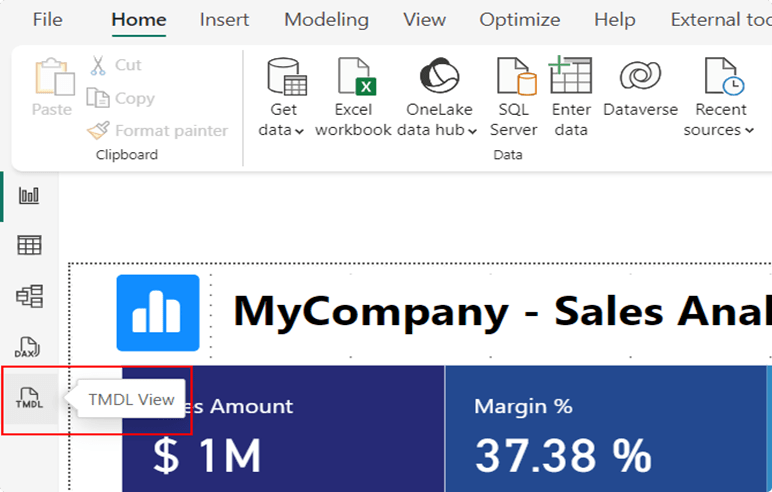
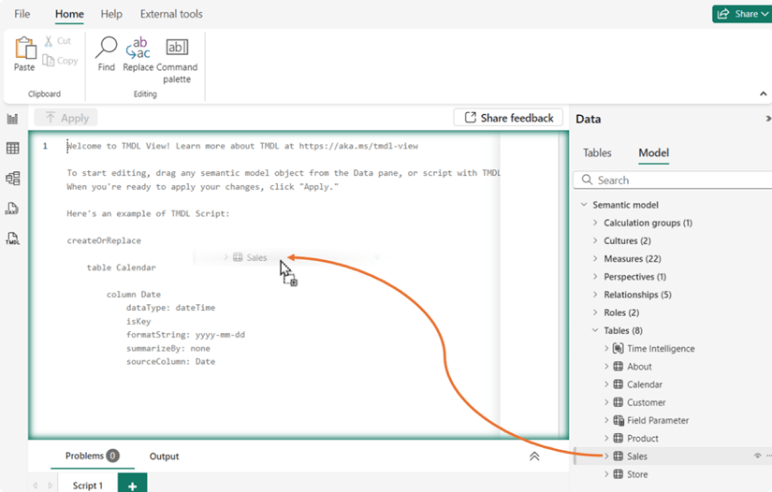
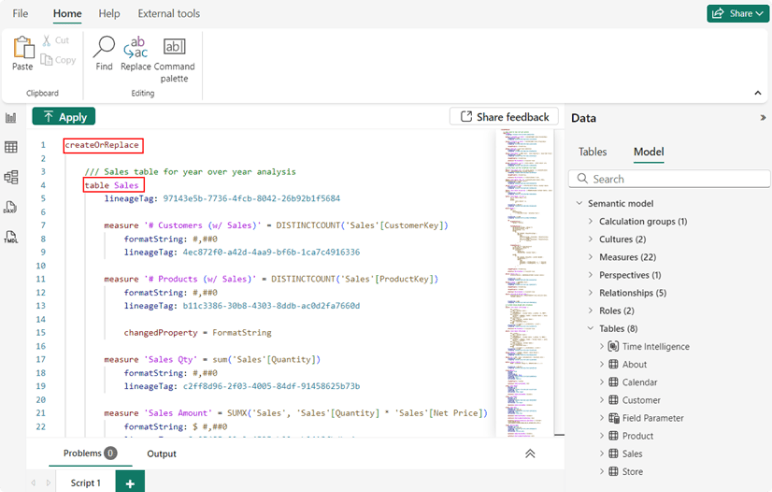
To enable this functionality: Go to File > Options and Settings > Options > Features in Preview. Check the TMDL View option and restart Power BI Desktop. Once enabled, a new tab will appear on the left side of the program. From there, you will be able to drag and drop objects from the semantic model into the code editor, generating TMDL scripts that will be saved along with the PBIX or PBIP file.
TMDL View Case Studies
> Semantic model auditing: Inspect model metadata to review Power Query expressions or verify measurement configuration.
> Efficient mass changes: Perform model-wide adjustments with advanced searches. For example, remove prefixes such as “dim_” or “fact_” from tables in one step with regular expressions.
> Support for external tools: Modify advanced properties, such as perspectives or translations, that were previously only possible using external tools.
> Collaboration and community: Centralize and share TMDL scripts on platforms such as SharePoint or through messaging applications, facilitating collaboration between teams and promoting good development practices.
A glimpse into the future of TMDL View
Microsoft continues to innovate daily and promises exciting and advanced updates to TMDL Power BI including:
– Change comparison view: Compare the modifications made to your script with the current version of the semantic model.
– Expanded functionality: Support for changes in partitions and data sources.
– Web integration: Editing published models directly from the Power BI web environment.
– Integrated Copilot: Automatic generation of TMDL scripts from natural language, further streamlining the work of developers.